

Create Payment Link (Merchant Console)
How to Create a Payment Link
The Payment Link feature allows you to easily generate a secure URL to request payments from your customers without needing a website or technical integration. Follow these steps to generate a link directly from your Merchant Console.
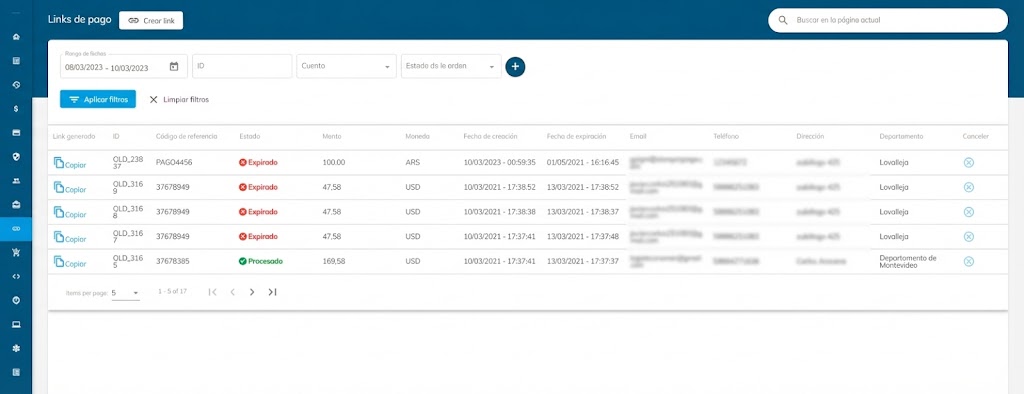
Step 1: Access the Payment Links Module
Log in to your Bamboo Payment Merchant Console.
Navigate to the Payment links section in the left-hand menu.
Click the Create link button located at the top of the page.
Step 2: Configure Merchant Details
Select a commerce account: Choose the merchant account associated with this transaction.
Country of payment methods: Select the country where the payment will be processed (e.g., Uruguay). This determines the local payment methods available to your customer.
Step 3: Define Link Parameters (Optional)
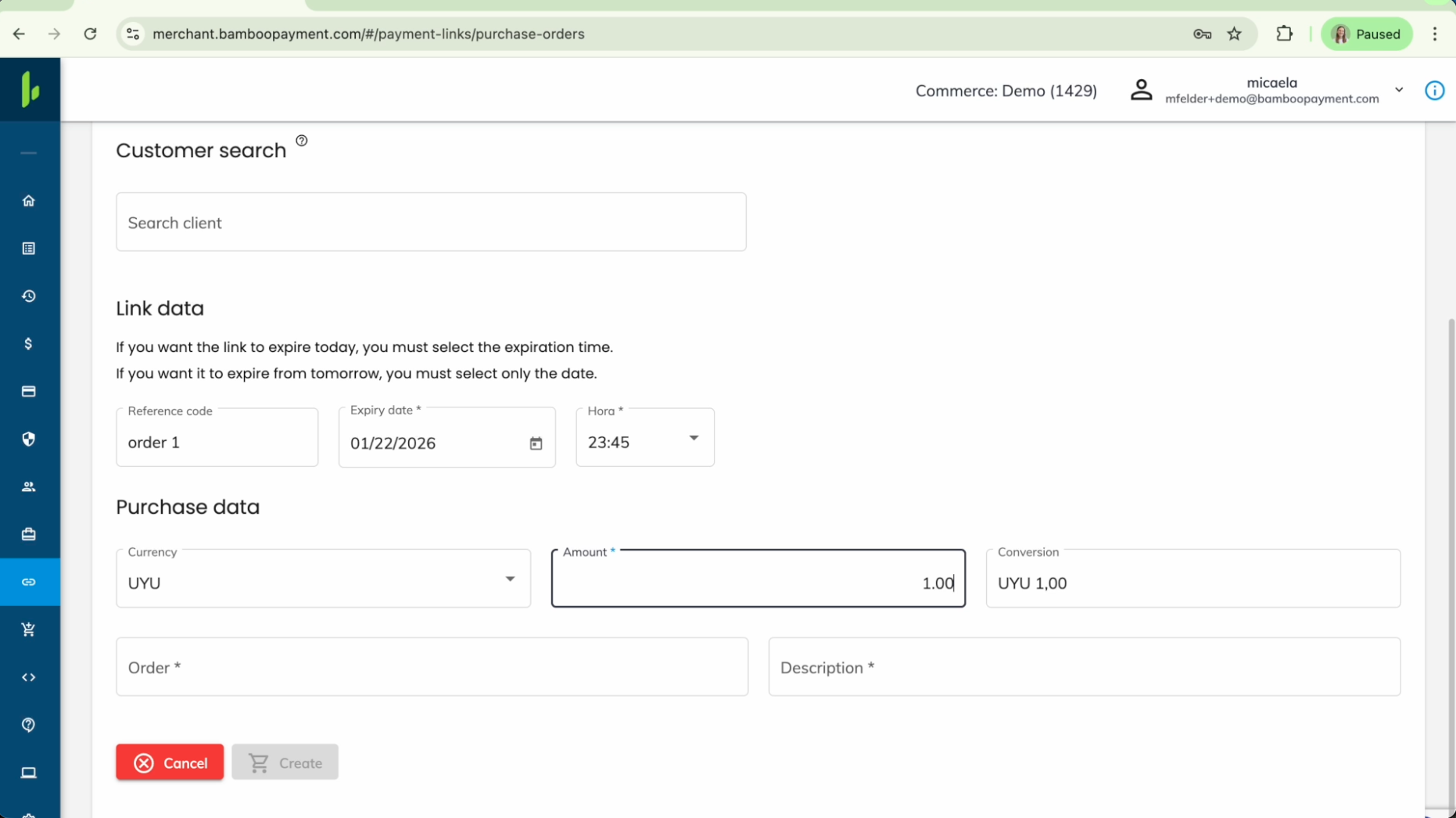
You can customize the security and validity of the link in the "Link data" section:
Reference code: Enter an internal reference code if needed.
Expiration Date & Time: By default, links may stay active indefinitely. To increase security, set a specific Expiry date and Time.
If you want the link to expire today, you must select the specific expiration time. If expiring tomorrow or later, selecting the date is sufficient.
Step 4: Enter Purchase Data
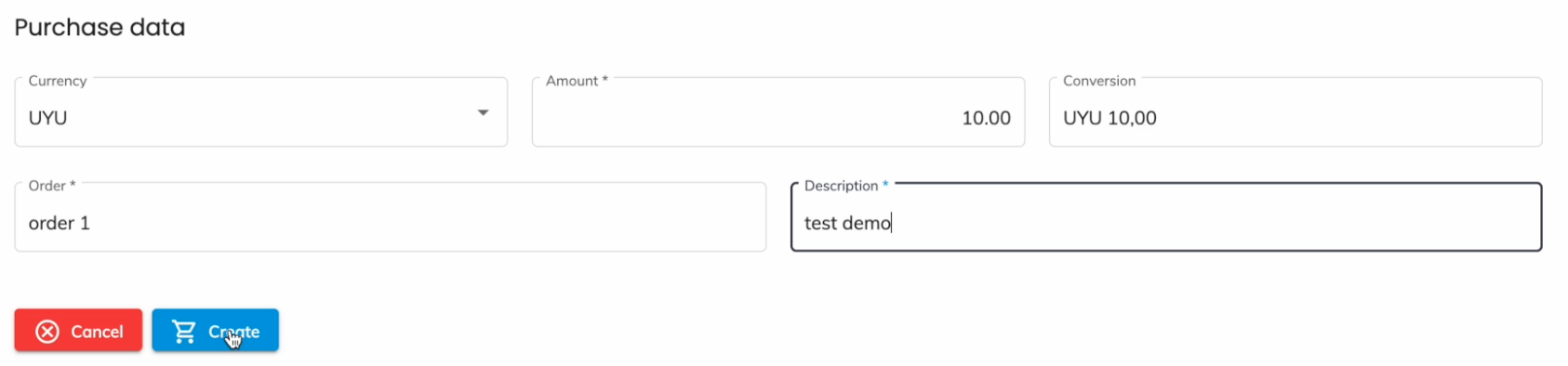
Fill in the transaction details required for the payment:
Currency: Choose the currency for the transaction (e.g., UYU, USD, ARS).
Amount: Enter the total amount to be charged.
Reference / Order ID: Input your internal Order ID to track this transaction later.
Description: Provide a brief description of the product or service. This will be visible to the customer and helps them identify the payment.
Step 5: Generate and Share
Review the information entered.
Click the Create button at the bottom of the form.
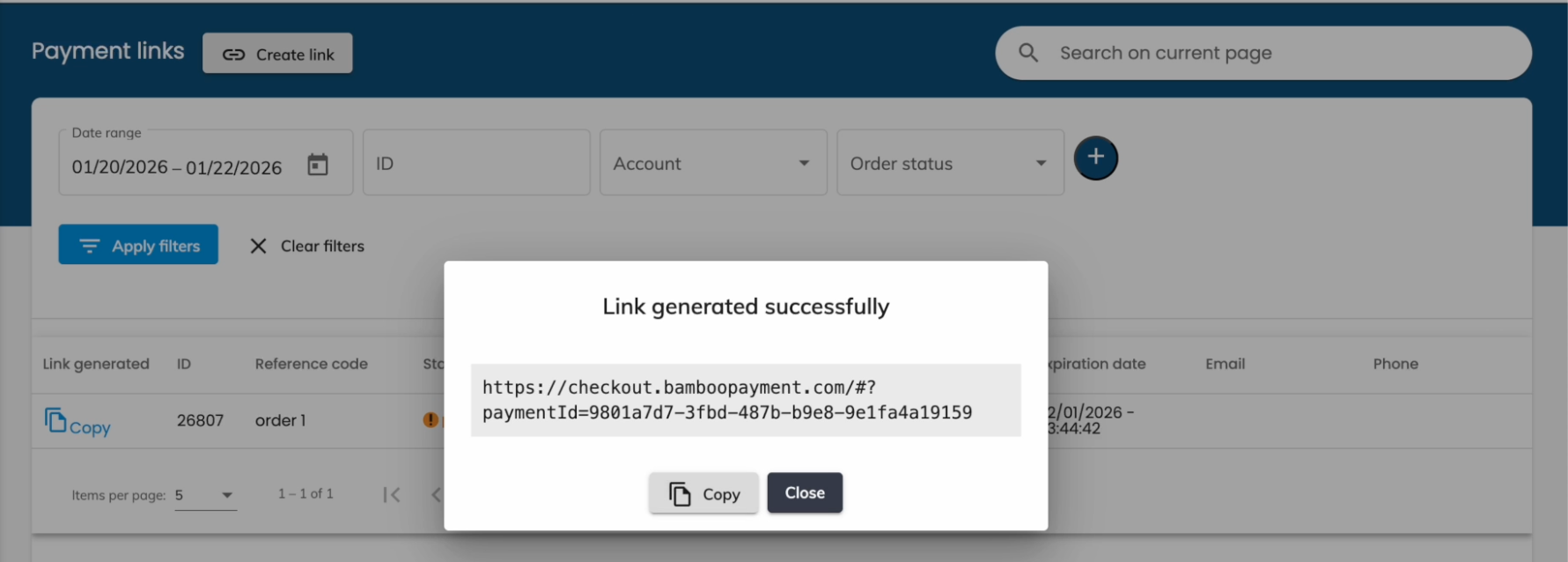
A confirmation pop-up will appear showing "Link generated successfully".
Click Copy to grab the URL immediately and share it with your customer via email, WhatsApp, or social media.
What Your Customer Sees
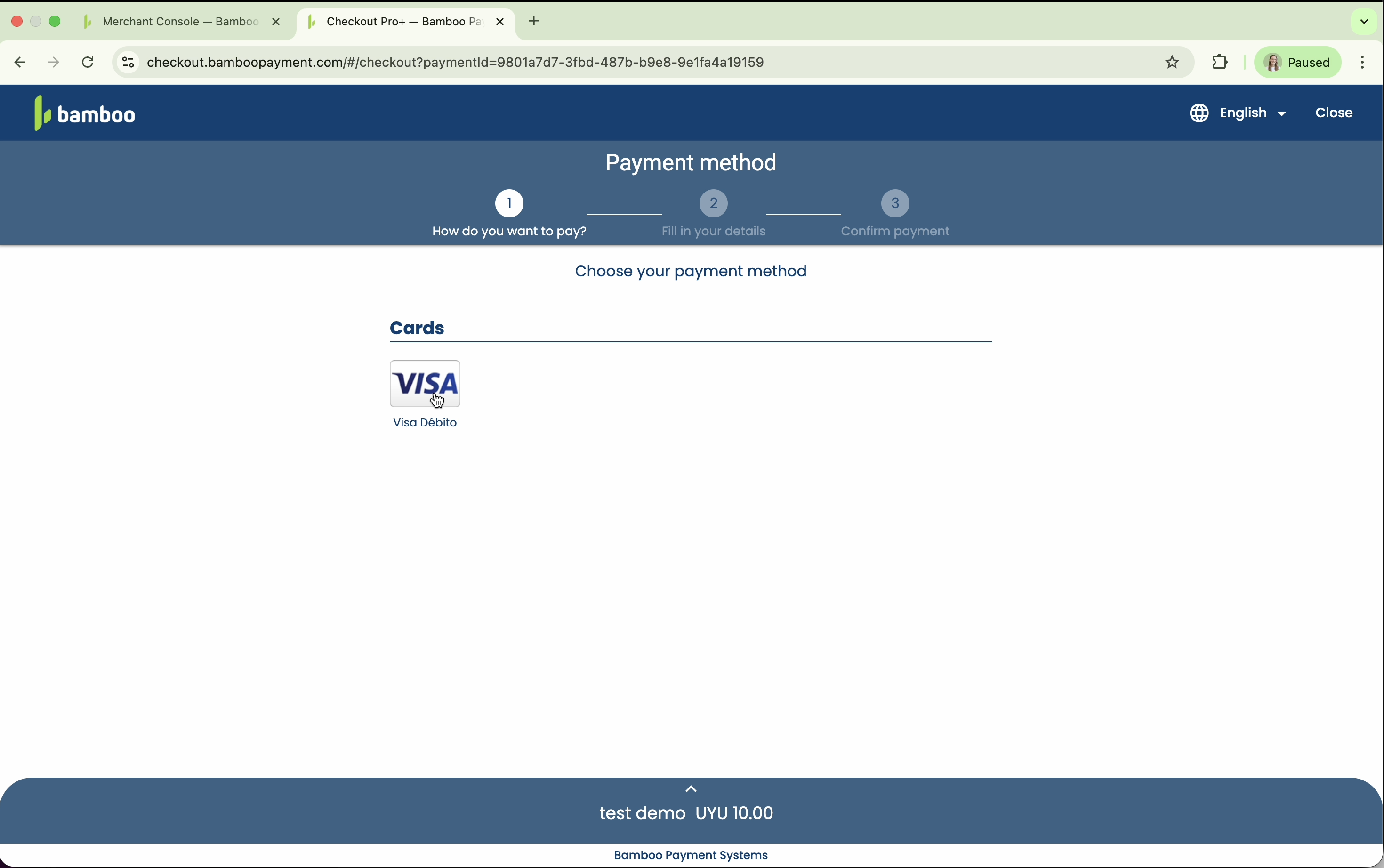
Once your customer opens the link, they will be directed to a secure checkout page optimized for their region.
Payment Method: The customer selects their preferred local payment method (Credit Card, Cash, etc.).
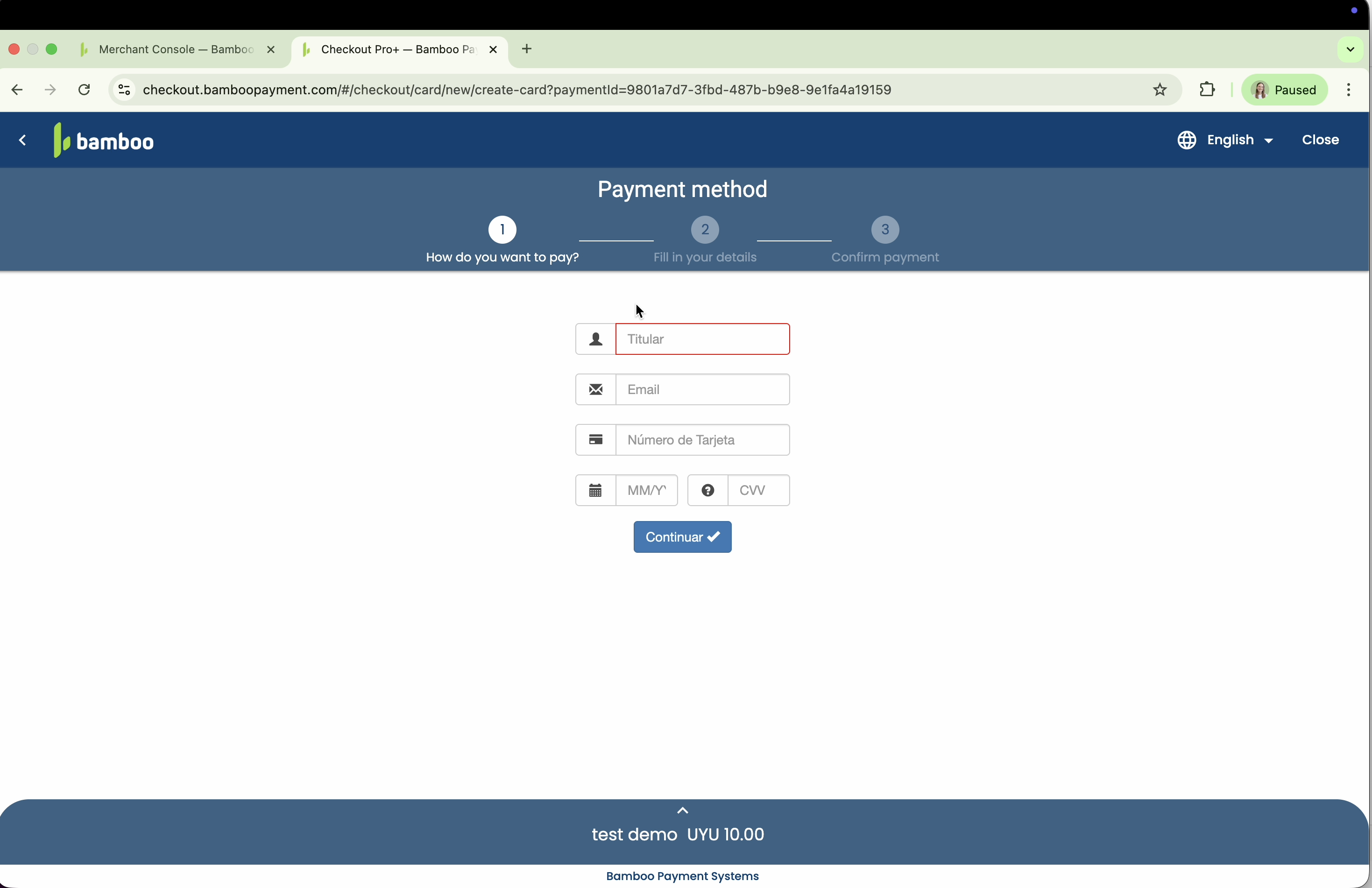
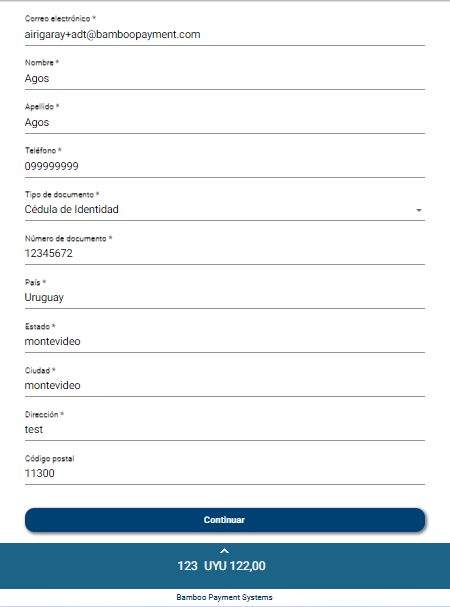
Details: They enter the required information. Our system is smart and only requests fields mandated by the selected country and method (e.g., ID number, Email).
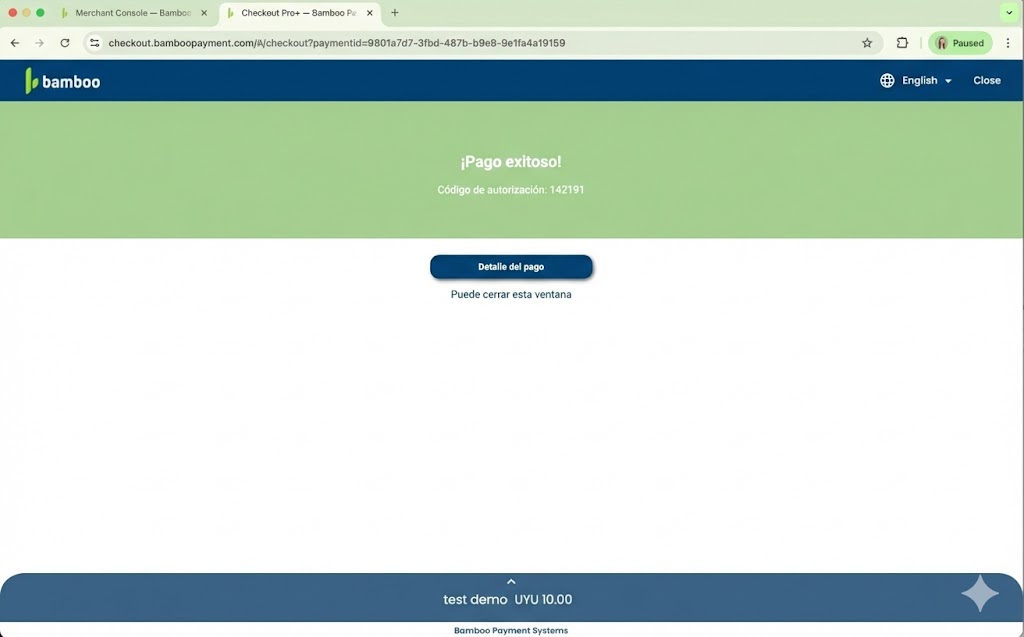
Confirmation: The customer reviews the total amount and confirms the payment.
Updated 8 months ago